

Description
Rapls Passkey adds passkey sign-in to WordPress. Touch ID, Windows Hello, Face
ID or a security key takes the place of the password, and your server never
holds a shared secret — only a public key, which is useless to anyone who
steals it.
It is built to run where most WordPress sites actually run:
- No PHP extension to install. Nothing beyond what WordPress itself already needs. In particular
gmpis not required, so there is nothing to ask your shared host for and nothing that stops working when the server’s PHP is upgraded. - Nothing leaves your site. The passkey ceremony happens between the browser and your own server. No account, no API key, no third-party service in the login path.
- Passwords keep working. Password login is never switched off in the free plugin. Nobody gets locked out while a site moves across.
- Japanese UI included. Fully translated, alongside the English source.
What the free plugin does
- Passwordless, phishing-resistant sign-in (WebAuthn / FIDO2)
- Same-device passkeys (Touch ID / Windows Hello / Face ID)
- Cross-device sign-in using the browser’s native passkey flow when the browser offers it (scan with your phone). A custom QR approval flow is available in Pro.
- Shortcodes and Gutenberg blocks (login / passkey management) you can embed on any page
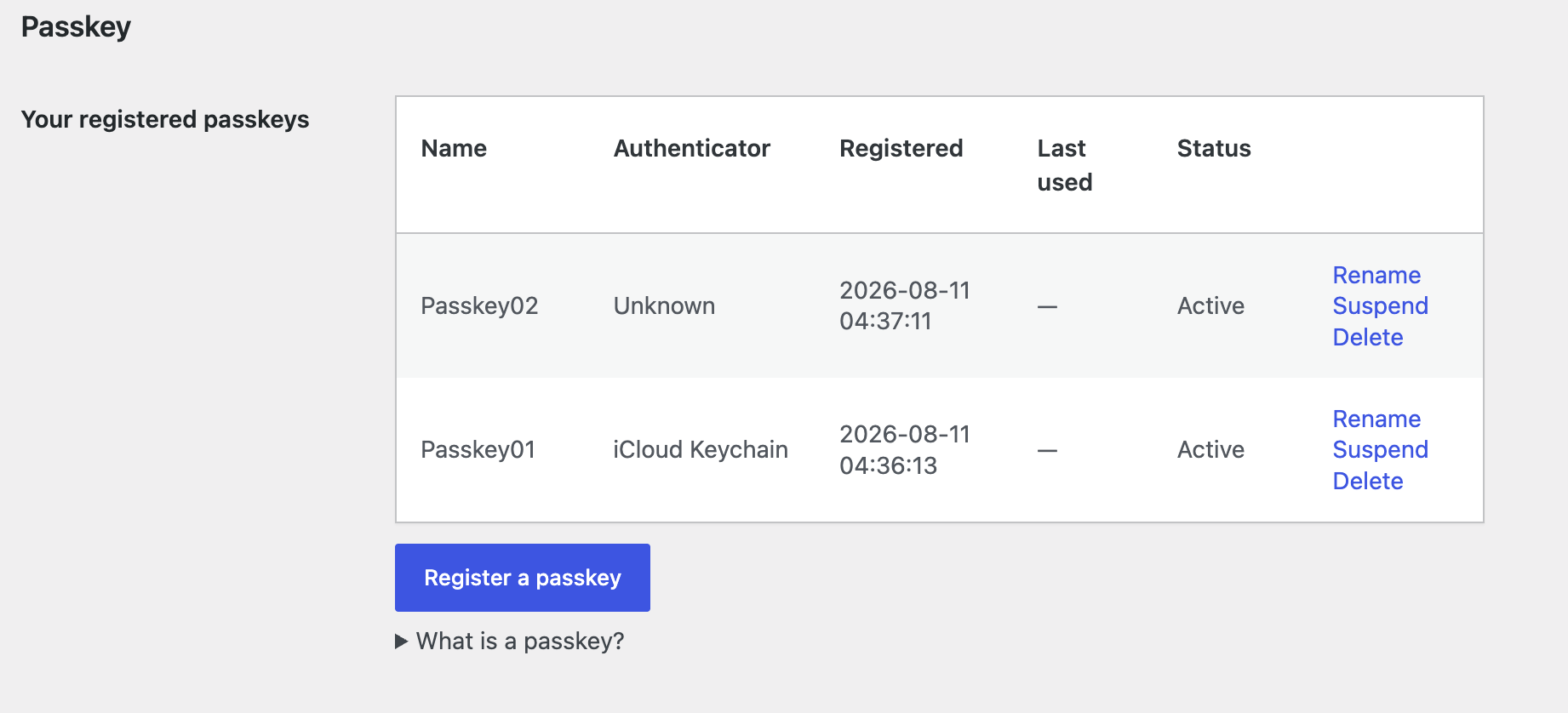
- Rename, suspend and resume individual passkeys — a device that is temporarily out of reach can be cut off without destroying the credential
- A site-wide passkey list for administrators (Users -> Passkeys), searchable by owner or name
- Works with two-factor plugins (Wordfence Login Security, Two-Factor, …): a passkey counts as the second factor, while weaker alternative logins must still pass the site’s 2FA
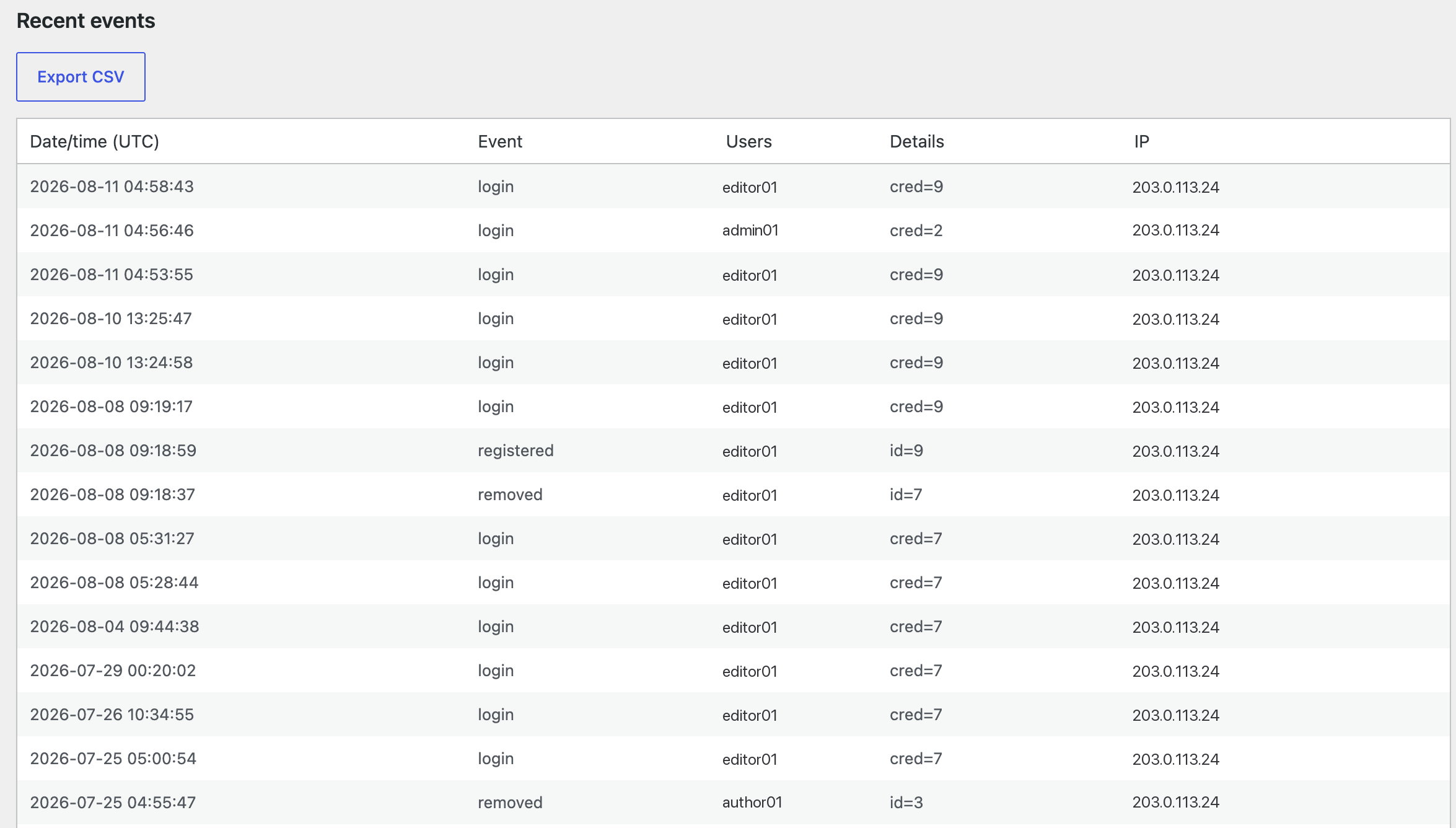
- An audit log of registrations, sign-ins and removals, exportable as CSV
- WP-CLI commands, a first-run configuration check, and an emergency bypass constant
- Fully translatable UI (English source; translations come from translate.wordpress.org)
Shortcodes
Embed them in any page, post, or widget. In the block editor they are also available as the “Sign in with a passkey” and “Manage passkeys” blocks.
[rapls_passkey_login]— a passkey sign-in button for logged-out visitors. Supports theredirect(URL to go to after success) andlabel(button text) attributes.[rapls_passkey_register]— a management UI where logged-in users can register and remove their own passkeys.
Requirements
- WordPress 6.0 or later
- PHP 8.2 or later
- HTTPS, except on localhost — browsers refuse WebAuthn without it
No PHP extension beyond WordPress’s own requirements.
Rapls Passkey Pro
Everything above is free, and stays free. Pro is a separate add-on for the part
that comes after the first passkey: moving a whole site across, and keeping a
way in when a device goes missing.
- Sign in from another device — approve a login on your computer from your phone, with a QR code and a four-digit confirmation code so a relayed code cannot be used elsewhere
- A way back in that is not a password — one-time recovery codes and email magic-link sign-in
- Roll out by role — require passkeys for the roles you choose, with a grace period, then turn password login off once everyone is across
- Adaptive step-up — ask for a passkey again after a password sign-in from somewhere unfamiliar
- Authenticator policy — FIDO Metadata Service checks, AAGUID allow and deny lists, trusted-device management
- Operations — security webhooks, adoption reports, multisite network settings, WP-CLI
One-time purchase, no subscription, with a year of updates and a 14-day refund.
Details and pricing
External services
This plugin sends nothing to any external service by default. One optional
integration, off unless you turn it on, contacts a third party:
Google reCAPTCHA v3 — used only when you enable reCAPTCHA for password
logins. When it is on, the visitor’s browser loads
https://www.google.com/recaptcha/api.js, and the plugin sends the resulting
token together with the request IP address to
https://www.google.com/recaptcha/api/siteverify so that Google can score the
request. Nothing is sent while the option is off. This service is provided by
Google and its use is governed by Google’s terms and privacy policy:
- Terms of Service: https://policies.google.com/terms
- Privacy Policy: https://policies.google.com/privacy
No other host is contacted. The plugin bundles the public suffix list it needs
(data/public_suffix_list.dat) rather than fetching it, and passkey ceremonies
happen between the browser and your own site.
Privacy
Authentication data is stored on your own site.
What is stored:
- Passkey credential records (public key, credential ID, sign counter, a label and timestamps) in a custom database table.
- A per-user WebAuthn user handle in user meta, plus one row in the options table recording that the account has one. The handle carries nothing about the person: for accounts created from this version it is derived from the account id and a site secret, and accounts that already had a random handle keep it.
- An optional audit log of passkey events (registration, sign-in, removal) with the acting user, IP address and timestamp.
Retention and removal:
- Passkey records remain until the user or an administrator deletes them; deleting a user removes their passkey records.
- The plugin integrates with WordPress’s built-in personal-data export and erase tools, so a user’s passkey and audit data are included in export/erase requests.
- Uninstalling the plugin (delete from the Plugins screen) drops its custom table and options.
This plugin does not use cookies for tracking. It sets only short-lived, functional cookies during a login ceremony (for example the pending second-factor login), which expire within minutes.
Screenshots
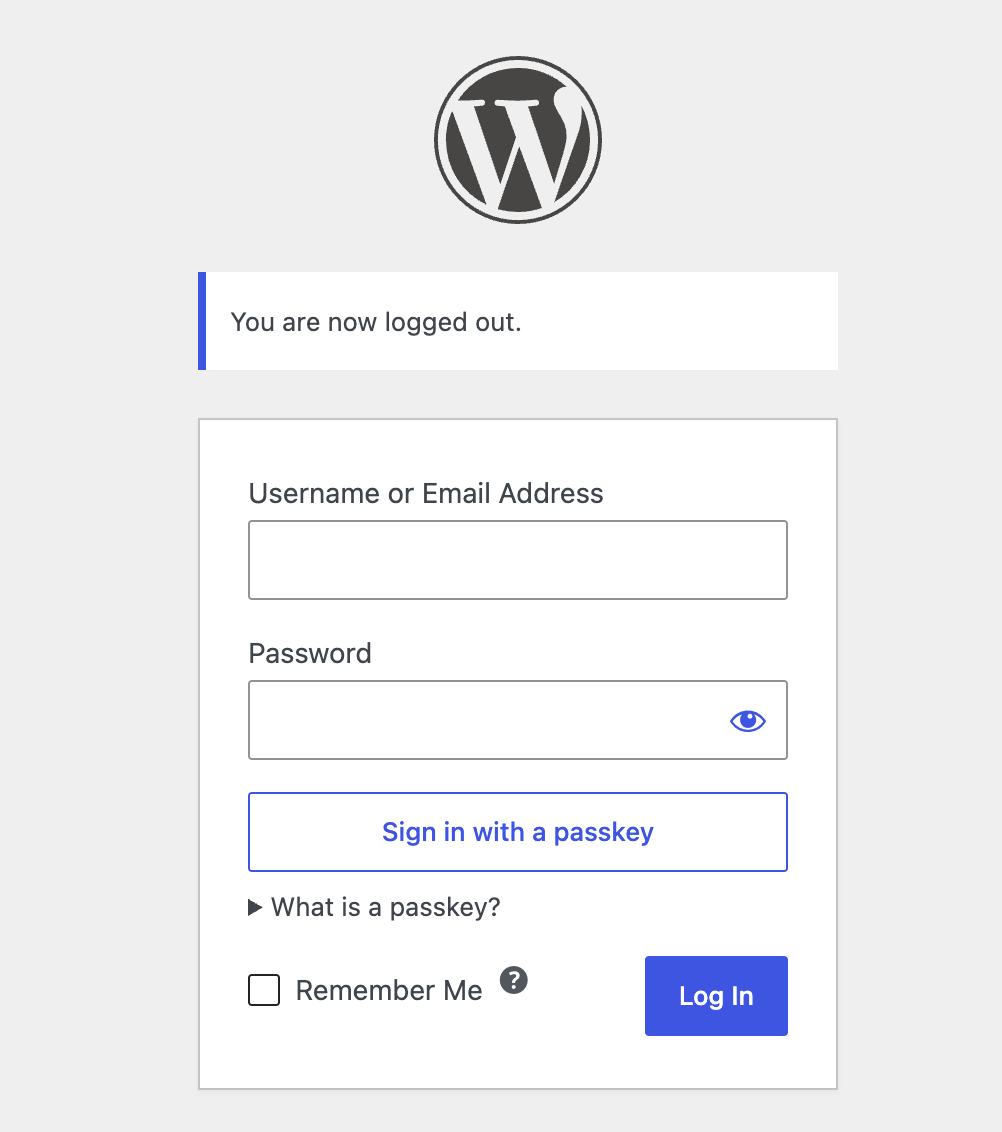
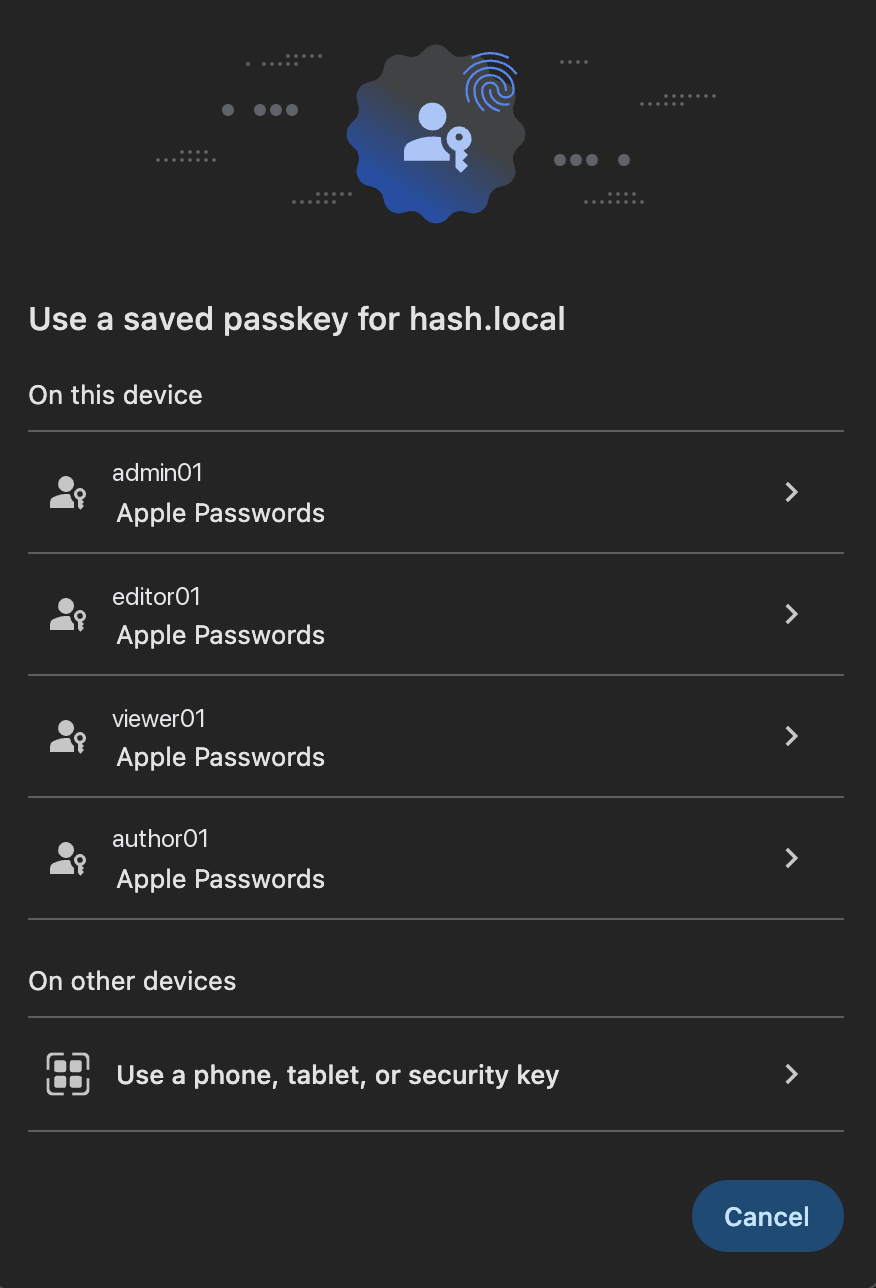
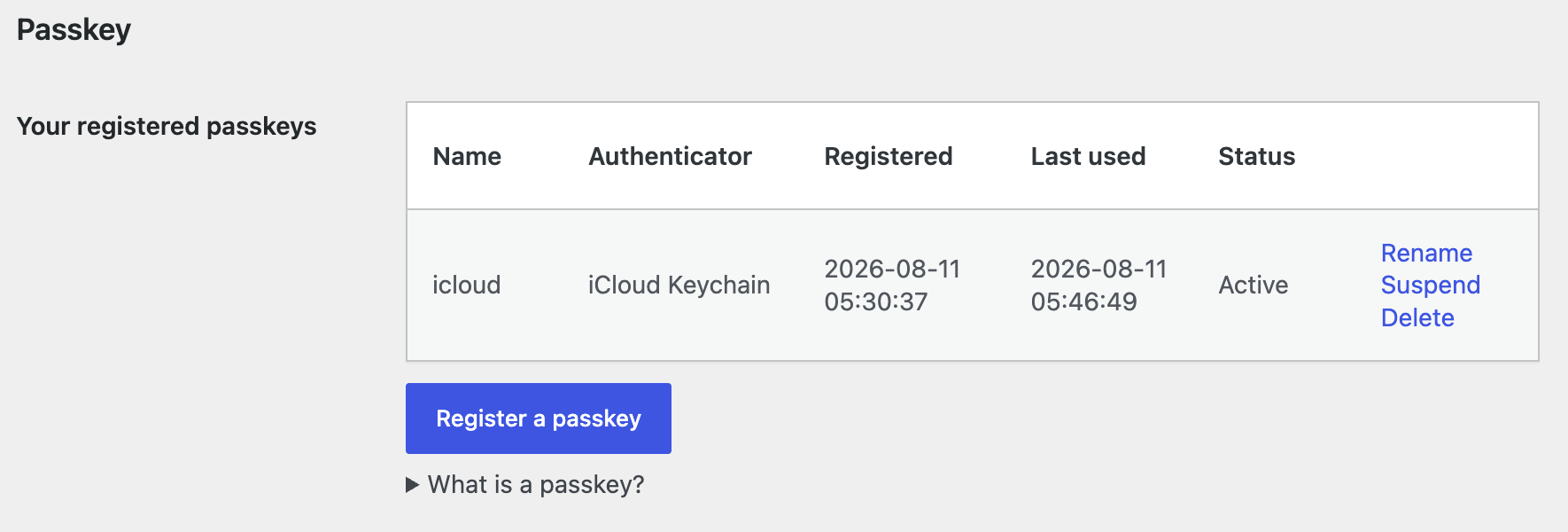
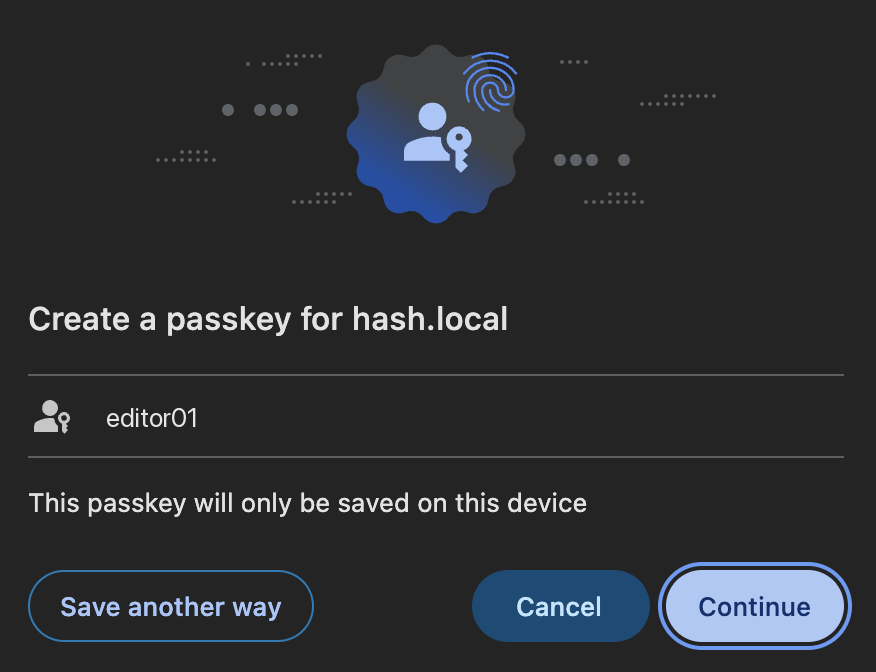
Blocks
This plugin provides 2 blocks.
- Sign in with a passkey
- Manage passkeys
Installation
- Place the plugin in
wp-content/plugins/rapls-passkey. - Activate “Rapls Passkey” from the Plugins screen.
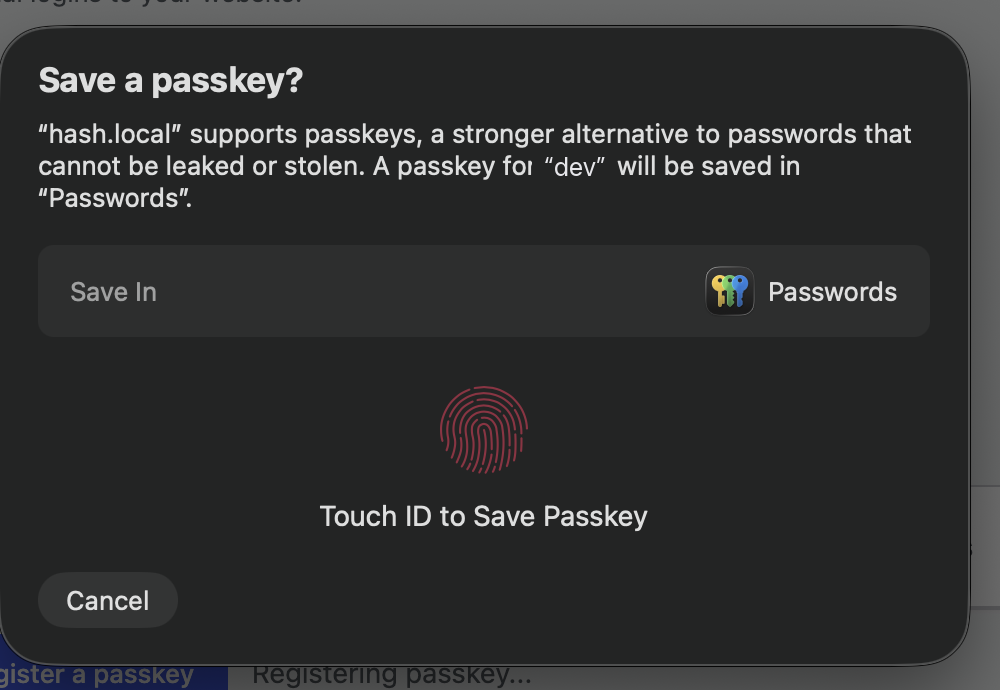
- Register a passkey from your profile screen.
Nothing else is required: no account, no API key, no configuration before the first passkey. The settings screen shows a first-run check (HTTPS, the relying-party ID, the WebAuthn library) so you can see the site is ready.
FAQ
-
Does this need any PHP extensions?
-
No. It runs on what WordPress itself already requires. Some WebAuthn plugins
needgmpcompiled into PHP, which is not present on every shared host and can
disappear when the host upgrades PHP; this plugin does not use it. -
Yes. There is no extension to install, no persistent process, and nothing
written outside the plugin’s own table and options. -
Which browsers and devices work?
-
Any current browser with a built-in authenticator — Touch ID, Windows Hello,
Face ID — or a FIDO2 security key. If the machine in front of you has no
passkey for the site, the browser’s own cross-device flow lets you scan with
your phone instead. -
Is the free version limited?
-
No. Passkey sign-in, registration, management, the shortcodes and blocks, the
administrator’s passkey list and the two-factor integrations are all in the free
plugin, without a cap, a trial period or a licence key. Rapls Passkey Pro is a
separate add-on that adds different features — cross-device QR login, recovery
codes, enforcement by role — and installing it is not required for anything
described above to work. -
Does it work with my security plugin?
-
It is built to sit alongside them rather than replace them. Plugins that change
the login URL or add an image CAPTCHA keep doing so; the passkey button appears
on whatever login screen your site actually serves. With Wordfence Login
Security or Two-Factor, a passkey satisfies the second factor, and a weaker
alternative login still has to pass the site’s own 2FA. -
Is the plugin available in Japanese?
-
Yes. The Japanese translation is complete, and WordPress.org serves it as a
language pack — no bundled catalogue, so it updates independently of the
plugin. -
What if I lose my passkey and cannot sign in?
-
Password login still works alongside passkeys, so sign in with your password as usual and then remove or re-register passkeys from your profile screen.
You can also manage passkeys from the server with WP-CLI:
wp rapls-passkey list --user=admin
wp rapls-passkey remove <id>
In an emergency, add the following to wp-config.php to temporarily disable passkey enforcement (remove it once you have recovered):
define( 'RAPLS_PASSKEY_BYPASS', true );
Reviews
There are no reviews for this plugin.
Contributors & Developers
“Rapls Passkey – Passwordless Login with WebAuthn” is open source software. The following people have contributed to this plugin.
Contributors
“Rapls Passkey – Passwordless Login with WebAuthn” has been translated into 1 locale. Thank you to the translators for their contributions.
Translate “Rapls Passkey – Passwordless Login with WebAuthn” into your language.
Interested in development?
Browse the code, check out the SVN repository, or subscribe to the development log by RSS.
Changelog
0.13.74
- Passkey sign-in no longer depends on the object cache. A sign-in is two requests — the browser asks for a challenge, then sends back the answer — and the challenge was kept in a transient, which WordPress stores in the object cache whenever one is installed. WordPress then assumes the cache will hand the second request what the first one wrote, and that is up to the host, not the plugin: separate PHP-FPM instances and separate servers do not share an APCu segment, and any cache can evict an entry or lose the counter a drop-in namespaces its keys by. Seen on a live site, the challenge was not what came back seconds later, and a correct passkey was refused as expired — which is why the same passkey worked, then did not, then worked again. Challenges and parked two-factor logins now go straight to the database.
- A challenge can no longer be spent twice on such a host. Single use was enforced with an atomic add on the object cache, which decides a winner only among callers the cache actually serializes; where it does not, two requests could both be told they had won. It is now decided by the database.
- Site Health reports an object cache that does not return what an earlier request wrote. It affects far more than this plugin, and nothing else says so.
0.13.72
- Signing in with a passkey no longer fails at random. The browser allows one credential request at a time, and the page keeps a background one open so passkeys appear in the username field. Pressing the button while that one was still being cancelled was answered with “a request is already pending”, which is why the same passkey worked one moment and failed the next; the button now waits for the background request to actually be released, and cannot be pressed twice into the same prompt.
- A passkey chosen from the username field’s autofill list no longer fails silently. Once the authenticator has answered, the sign-in is finished and reported instead of being cancelled halfway or abandoned without a word — the case where touching the sensor appeared to do nothing at all.
- A login page left open for a long time still works. The sign-in attempt the page holds open is refreshed before the server stops recognising it, rather than failing the next time a passkey is picked.
- Failures now say what went wrong: a connection problem, a cancelled prompt, or a site that is not on HTTPS each get their own message instead of a single “authentication failed”, and internal browser text is no longer shown.
0.13.71
- Display name updated: the plugin is listed as “Rapls Passkey – Passwordless Login with WebAuthn” so that the directory search finds it by what it does, not only by its brand name. The short description on the Plugins screen now names Touch ID, Windows Hello and security keys instead of repeating the title. No functional change.
0.13.70
- Fixed: on PHP older than 8.2 the whole site went down, front end included. The bundled dependencies require 8.2, and Composer’s platform check throws the moment the autoloader is read — inside WordPress’s plugin loading, where nothing catches it. The plugin now checks the version first and steps aside with an admin notice, leaving the rest of the site alone. The
Requires PHPheader does not cover this on its own: WordPress reads it when activating and when offering an update, so a server whose PHP is lowered afterwards, or a WP-CLI running an older PHP than the web server, went straight past it.
0.13.69
- The Rapls Passkey Pro panel moved into a sidebar that follows the page down. It sat at the very bottom of a single column, below the audit table, where nobody scrolls. It also says what the add-on is for rather than listing features, the Plugins screen gains “Settings” and “Go Pro” row links, and the adoption figure names what closes the gap. Nothing on the page is gated: the readme now has a Pro section and an FAQ entry saying plainly that the free version has no cap, trial or licence key.
- Asks for a WordPress.org review, once. After a week of use, and only if a passkey has actually been registered, a notice on this plugin’s own two screens asks for one. Every button — including the close button — settles it for good, and rapls_passkey/show_review_prompt turns it off entirely. It never appears anywhere else in wp-admin and never comes back.
- Corrected: the readme claimed a bundled Japanese translation, which has not been true since 0.13.62. Translations come from translate.wordpress.org.
0.13.68
- Screenshots for the plugin directory listing, and the readme section that names them. No change to the plugin.
0.13.67
- Tests only, and one that was worth finding: nothing asserted that registering a passkey for another user is on by default. The stub in the enrolment test answered the filter itself, so the shipped default was never read — flip it back to off and every test still passed. The default is now under test, on both call sites, and the source is checked for wording that ties the feature to the paid add-on.
0.13.66
- Registering a passkey for another user is on by default. It was implemented but switched off, and the Pro add-on turned it on — which made a built-in feature depend on a licence, and that is not allowed here. The capability check was always the real bound and it has not changed: only someone who can already edit that user, and could therefore reset their password and sign in as them, can enrol for them. Pro’s setting now only turns the feature off.
- The second-factor screen filters the markup its 2FA provider prints, to the form controls such a screen needs. The two bundled adapters are unaffected, byte for byte; inline JavaScript from a provider is dropped, and a provider that needs it should enqueue it.
- The package no longer carries the Japanese catalogue or
load_plugin_textdomain(). WordPress.org builds translations for every locale from translate.wordpress.org and loads them on demand, and a bundled copy would only shadow that. - Dropped two test-only directories that Composer installs inside third-party packages (
doctrine/deprecations,symfony/clock).
0.13.65
- Clears the last of the WordPress Plugin Check warnings against the shipped package.
$_SERVER['REQUEST_METHOD'], aredirect_tofrom the query string and the “seen device” cookie are now unslashed and sanitised on the way in rather than only validated afterwards; the uninstall script’s two loop variables are prefixed, since a file that runs at global scope defines globals; and the exemption on the DROP TABLE in uninstall named the wrong rule. composer.jsonships with the package again. WordPress.org’s scan asks for it wherever avendor/directory is present, and it is the manifest that says what is in there.composer.lockstays out. Note for anyone reading the package:vendor/has already been namespace-prefixed by the build, so do not runcomposer installinside an installed copy.- No functional change.
0.13.64
- Readme only:
Tested up tonamed a patch release (7.0.2). WordPress.org’s automated scan requires the major version alone, and rejected the upload over it. It reads 7.0 now; the plugin is unchanged and was tested against 7.0.2.
0.13.63
- Direct-access protection was missing from every file in the distributed package. The plugin guards each file with
if ( ! defined( 'ABSPATH' ) ), which the build rewrites toif ( ! \defined( 'ABSPATH' ) )— a form the WordPress Plugin Check tool does not recognise. Every shipped file therefore read as unprotected to the tooling, while the repository looked correct. The guard is now written in the form that survives the build. - The code-standard exemptions in the shipped files were pointing at the wrong lines. They were written at the end of the line they applied to, and the build moves a trailing comment onto the following line — so each one silenced the line after the one it was meant to cover. All of them are now written above the line they apply to.
- Fixes the findings these two hid: an unescaped exception message, a missing translators comment, a database call whose exemption named the wrong rule, and the CSV export’s file handle. Behaviour is unchanged; the audit-log CSV, the two-factor integrations and the passkey cap all work exactly as before.
- Also:
Plugin URIpointed at this plugin’s WordPress.org page, which the plugin header documentation does not allow, andAuthor URIwas missing. The readme’s external-service disclosure (optional reCAPTCHA) is now its own section, and releases older than 0.13.46 have moved to changelog.txt.
For the change history of 0.13.62 and earlier releases, see changelog.txt.