

Description
ShareThis Share Buttons makes it easy for visitors to share your content across the world’s most popular social networks.
Boost traffic, improve engagement, and expand the reach of your posts, pages, products, and content with beautifully designed social sharing buttons that are easy to install and customize.
The plugin is lightweight, mobile responsive, GDPR friendly, and optimized for performance with asynchronous loading that will not slow down your website.
No coding required.
Key Features
- One-click sharing across 40+ social networks
- Sticky and inline share button layouts
- Lightweight asynchronous loading for fast performance
- Mobile responsive design
- Gutenberg compatible
- Custom colors, alignment, and sizing options
- Multilingual support with 15+ languages
- Per-page and per-post controls
- Shortcodes and PHP integration
- GDPR compliance options included
Supported Networks
Share content across major platforms including:
- Twitter / X
- Threads
- Bluesky
- Mastodon
- Messenger
- Snapchat
- Telegram
- And many more
Inline Share Buttons
Inline Share Buttons can be displayed directly inside your content for maximum visibility and engagement.
Features include:
- Display buttons above or below content
- Adjustable spacing and margins
- Alignment controls
- Custom button sizes and colors
- Gutenberg block support
- Shortcode support
- PHP template snippets
- Enable or disable buttons on individual posts and pages
Sticky Share Buttons
Sticky Share Buttons stay visible as visitors scroll through your content.
Features include:
- Sticky sidebar positioning
- Enable on posts, pages, archives, products, and custom post types
- Category and page exclusions
- Responsive mobile behavior
- Per-page display controls
- Searchable page exclusion settings
Performance Focused
ShareThis Share Buttons are built with performance in mind.
The plugin loads asynchronously to reduce render blocking and improve page speed performance while maintaining a seamless user experience.
Existing ShareThis User?
Already using ShareThis on your website?
If you previously added ShareThis manually using embedded JavaScript, remember to remove any hardcoded scripts and inline share button containers after activating the plugin.
WordPress Features
- Gutenberg block support
- Widget support
- Shortcodes for manual placement
- PHP template integration
- Per-page enable and disable controls
- Custom post type support
- Multi-language support
- GDPR controls
- Mobile responsive layouts
Privacy
By creating a ShareThis account, you agree to the ShareThis Terms of Use:
https://sharethis.com/publisher-terms-of-use/
ShareThis may collect interaction data related to button engagement and usage.
Read the ShareThis Privacy Policy here:
https://www.sharethis.com/privacy/
Need help? Visit the WordPress support forum and our team will be happy to assist you.
Screenshots

Inline Share Button design options 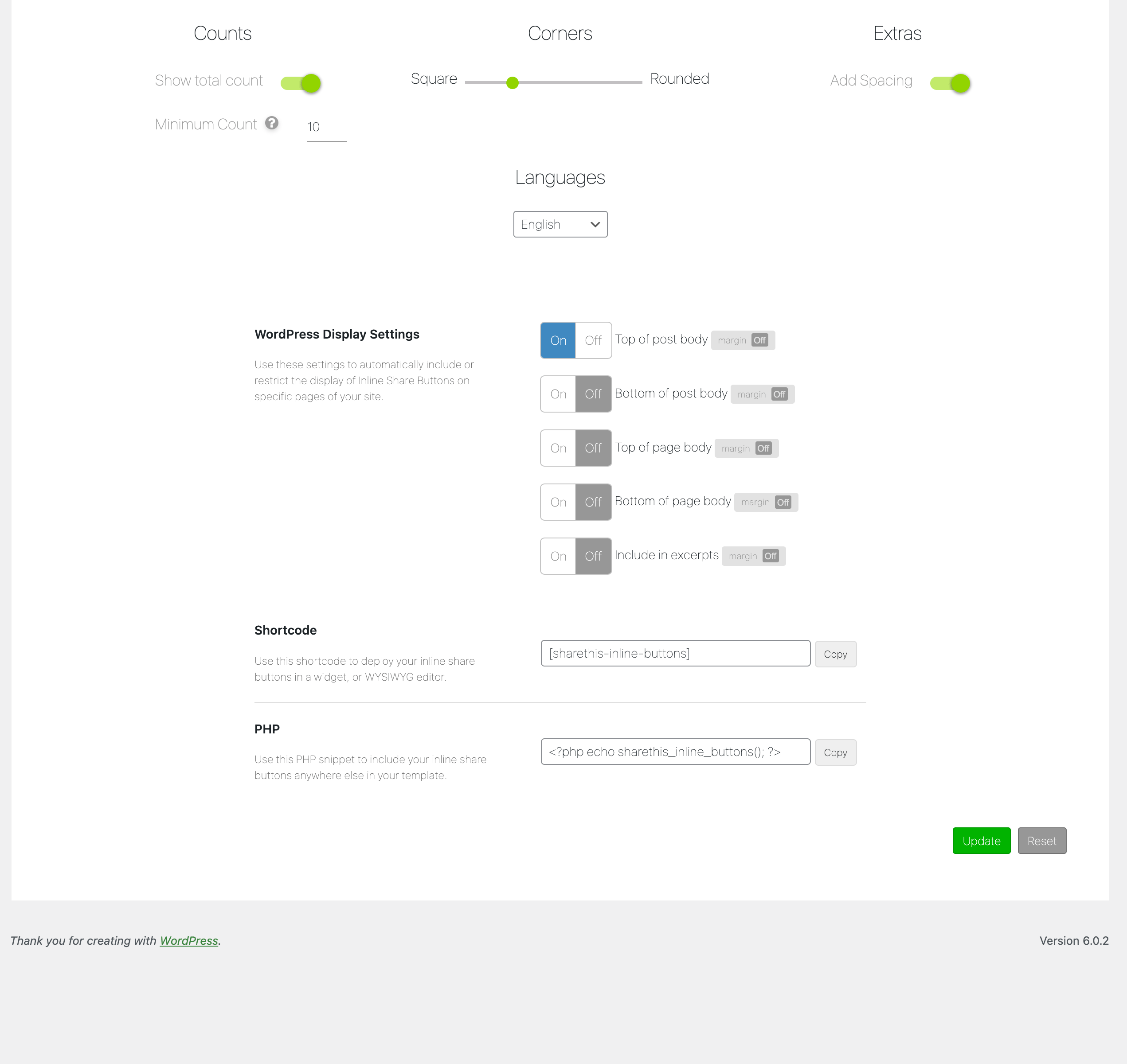
Inline Share Button settings 
Example of Inline Share Buttons 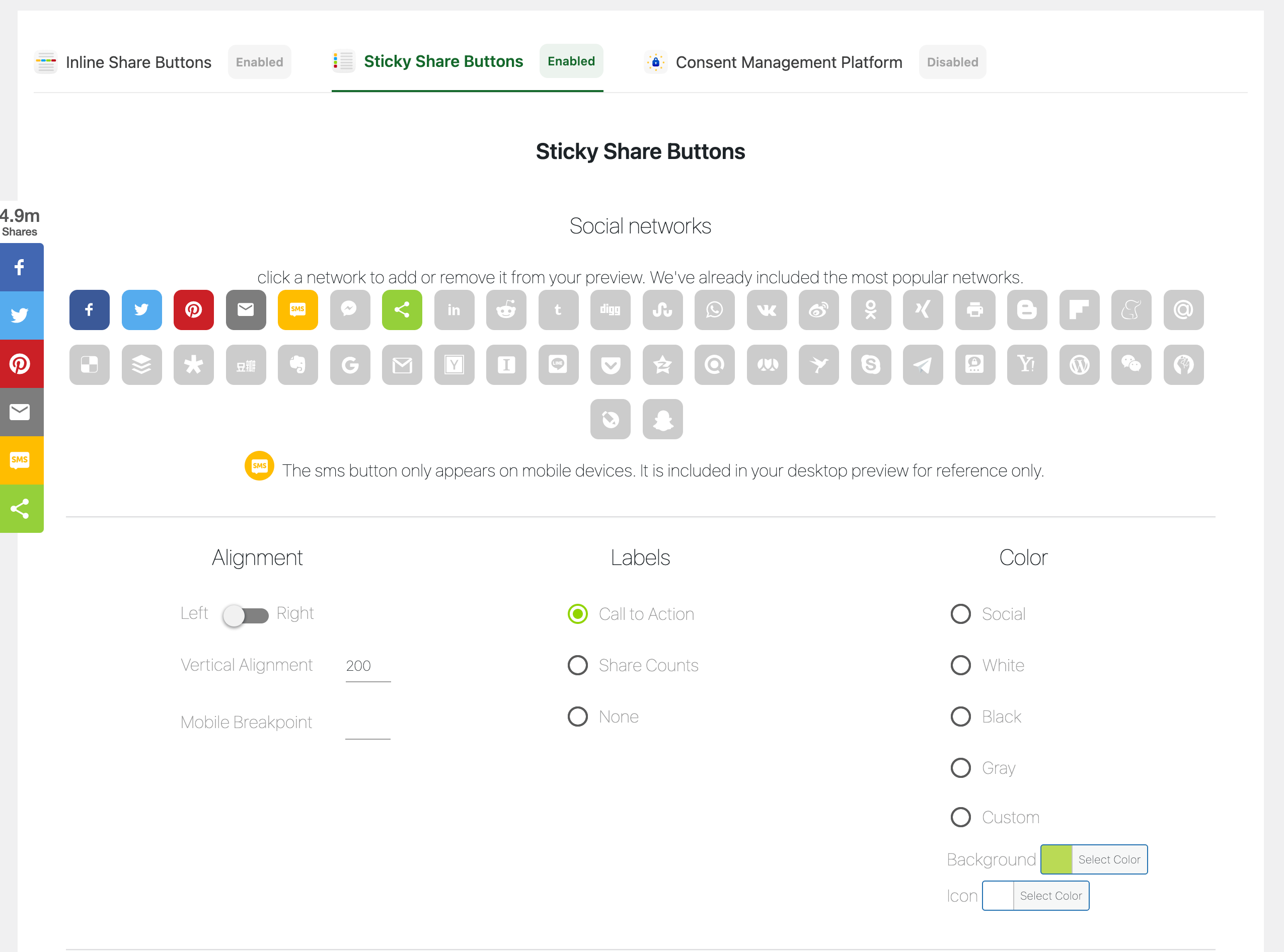
Sticky Share Button design options 
Sticky Share Button settings 
Example of Sticky Share Buttons 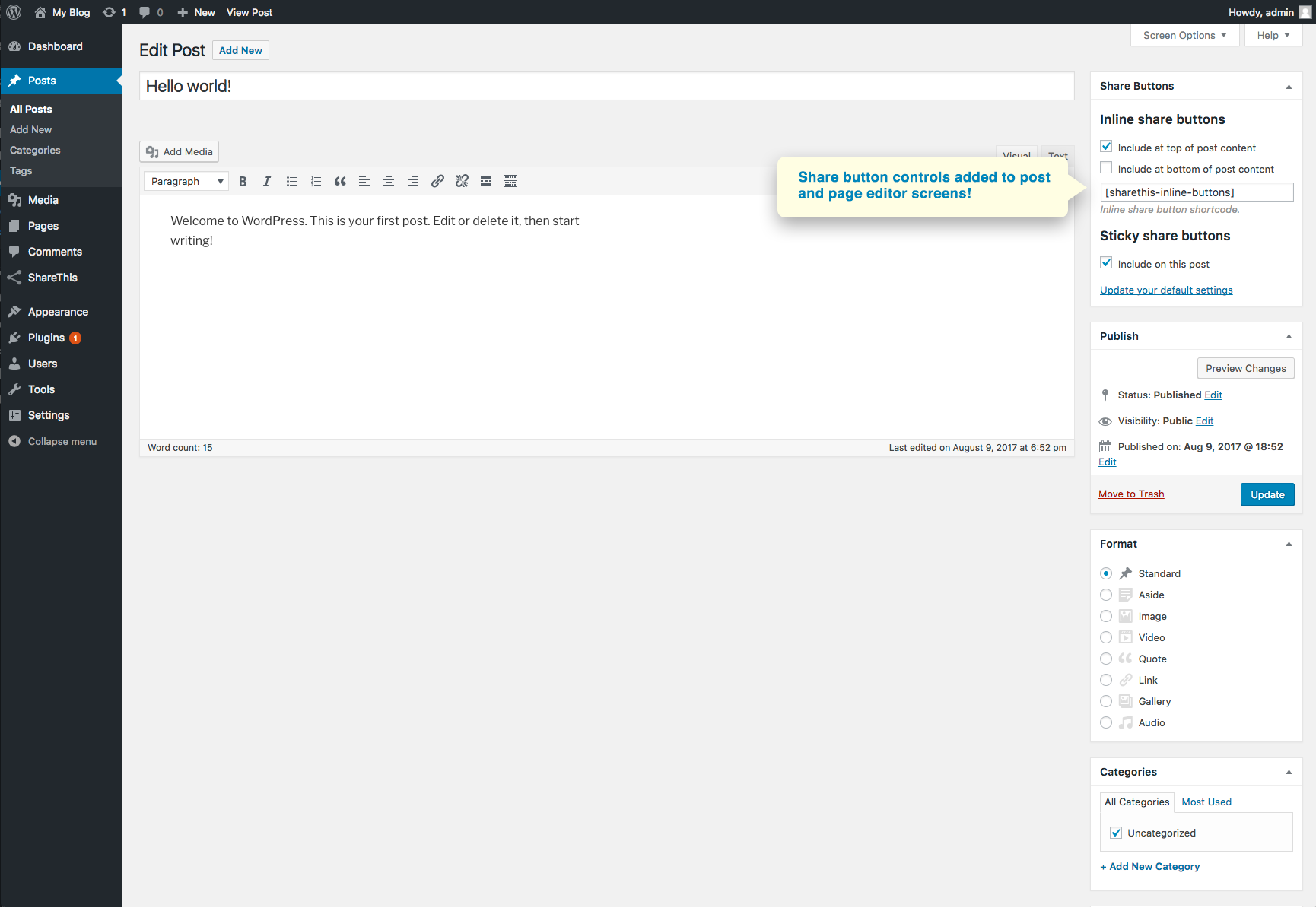
Share Button controls in the post and page editor 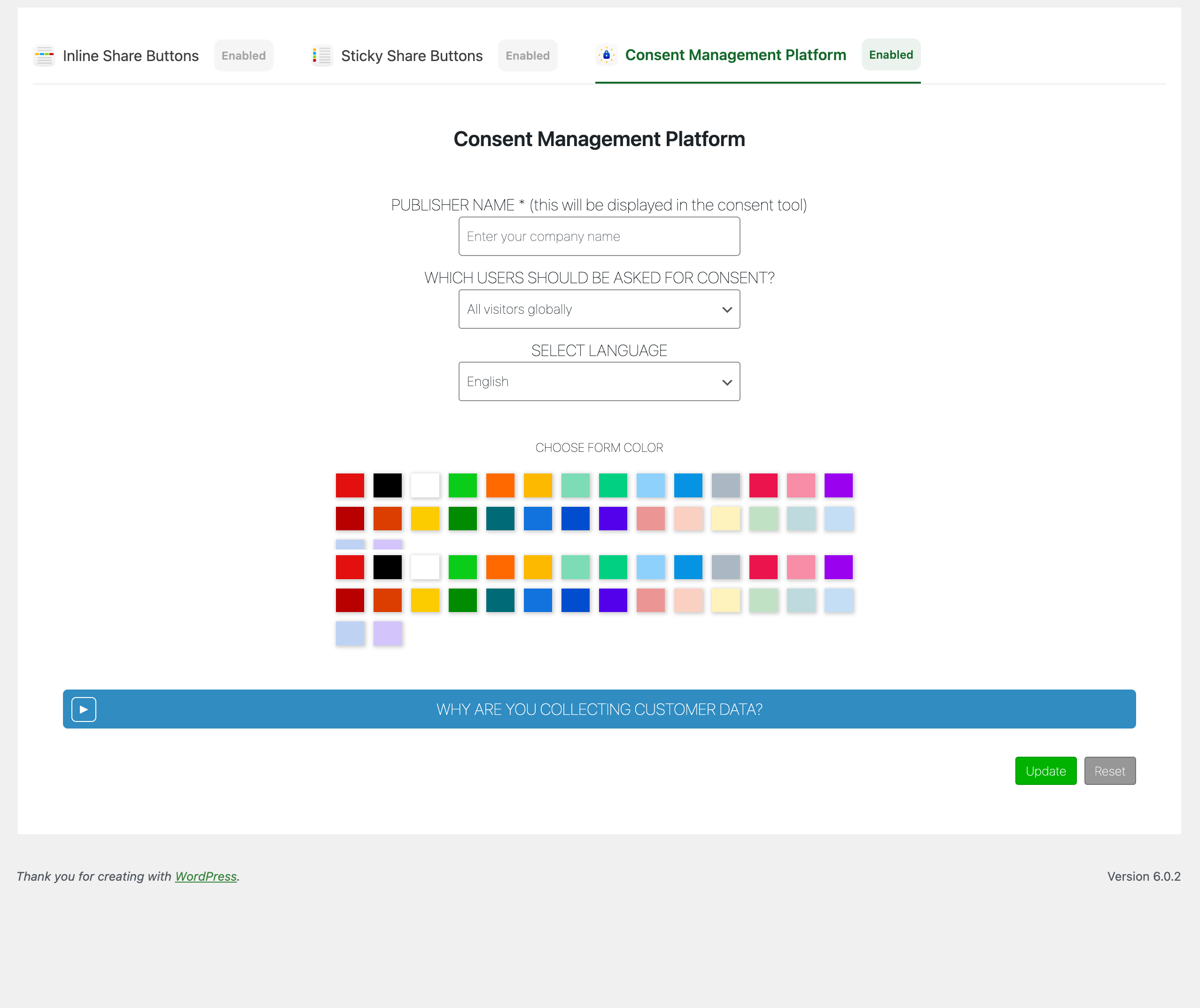
Consent management and GDPR settings
Blocks
This plugin provides 1 block.
- Inline Share Buttons
Installation
- Install the plugin from the WordPress Plugin Directory or upload the plugin zip file manually.
- Activate the plugin through the WordPress Plugins menu.
- Open the ShareThis Share Buttons settings page.
- Configure your preferred button styles and placement.
- Save your settings and your Share Buttons will appear automatically on your website.
FAQ
-
Yes. ShareThis Share Buttons are fully responsive and optimized for mobile devices, tablets, and desktops.
-
Yes. You can customize colors, size, alignment, spacing, positioning, and button layout directly from the plugin settings.
-
Yes. The plugin includes page and post editor controls that let you enable or disable buttons on individual pieces of content.
-
Does the plugin support Gutenberg?
-
Yes. ShareThis Share Buttons includes Gutenberg block support for adding inline buttons directly inside the editor.
-
ShareThis caches button configurations to improve performance. Changes made through the ShareThis platform may take a few minutes to appear on your website.
-
Do I need coding knowledge to use this plugin?
-
No. The plugin is designed for easy setup and configuration without coding experience.
Reviews


Contributors & Developers
“ShareThis Share Buttons” is open source software. The following people have contributed to this plugin.
Contributors


Translate “ShareThis Share Buttons” into your language.
Interested in development?
Browse the code, check out the SVN repository, or subscribe to the development log by RSS.
Changelog
2.3.10
- Test wp ver 7
2.3.9
- Add mastodon.
- Remove iorbix, koapp, blm, skype, surfingbird
- Refresh readme.
2.3.8
- Test in 6.9.
- Fix settings sanitization.
- Fix readme.
2.3.7
- Fix dir path
- Fix minute control warning
- Test in 6.8.2
2.3.6
- Fix fatal error.
2.3.5
- Fix text domain warning.
- Fix metabox controls.
- Fix post warning.
- Test to 6.8.1.
2.3.4
- Add Bluesky and Threads networks
2.3.3
- Test wp ver 6.7.1
2.3.2
- Additional security checks.
2.3.1
- Fix XSS security hole in shortcode
2.3.0
- Fix 8.2 deprecations.
- Test wp ver 6.5.2.
2.2.0
- Add new social networks.
2.1.11
- Remove leading commas for backwards compatibility
2.1.10
- Remove restapi action.
2.1.9
- Fix position option saves.
- Fix random enable on update.
2.1.8
- Fix missing update/reset buttons.
- Fix conflict with other share this menus.
2.1.7
- Add check for first product use.
2.1.6
- Test with WordPress 6.1.1.
2.1.5
- Add source.
2.1.4
- Add disable/enable tool buttons to gdpr.
- Fix reset if tool is turned off and on.
2.1.2
- Add disable tool button.s
2.1.1
- Fix issue with PHP 5.X compatibility.
2.1.0
- Add smart share buttons.
- Add new social networks options.
2.0.0
- Remove account registration.
- Add custom share button color options.
- Change UI to tabs.
1.5.8
- Test with WordPress 6.0.1 and PHP8.
1.5.7
- Fix critical error.
- Test with WordPress 5.9.2.
- Remove random gif.
1.5.6
- Sanitize inputs/outputs and improve code quality.
- Test with WordPress 5.9.1.
1.5.5
- Fix Ajax
- Test with WordPress 5.9.
1.5.4
- Fix markup for data-url output.
1.5.3
- Fix jquery attr call and php warning.
- Remove GDPR global scope.
1.5.2
- Add Snapchat, BLM and Live Journal network options.
1.5.1
- Fix position config update save.
1.5.0
- Fix missing update in stick config.
- Fix language selector.
1.4.1
- Fix GDPR compliance on/off.
1.4.0
- Added GDPR compliance tool option and config.
1.3.0
- Fix registration sticky configurations.
- Add DB data removal on deactivate.
- Add new companies to network list.
- Add notice for ad blockers.
1.2.10
- Fix endpoint update.
1.2.9
- Add German to language list.
- Remove Native counts.
- Replace api endpoints.
1.2.8
- Made WordPress 5+ compatible.
- Added new Gutenberg block category and block for adding inline buttons.
- Fixed backwards compatibility for accounts without secrets.
1.1.8
- Added multi-language options for translating share buttons.
1.1.7
- Added loading gifs to registration to avoid user double clicks.
- Added new Messenger button to network list.
1.1.6
- Menu logic for use by future ShareThis plugins.
- Fix button size selector.
1.1.5
- Create an account and design your share buttons without leaving the plugin!
- Link the plugin and sync buttons settings with an existing property on our Platform.
1.0.5
- Add a widget for sidebars to include buttons.
1.0.4
- Added data-url attribute to non the-excerpt filter excerpts.
1.0.3
- Fixed random share buttons on homepage base issue.
1.0.2
- Changed first product set function to add if doesn’t exist instead of looking at transient.
1.0.1
- Fixed excerpt filter solving excerpt display issue.
1.0.0
- Brand new plugin submission.