

Description
Is your WordPress site suddenly slow, or experiencing unexpected errors? Tracking down exactly what went wrong can take hours of digging through error logs, deactivating plugins one-by-one, and writing complex database queries.
Meet Mega Debug Fixer – a lightweight and powerful diagnostic and recovery suite built to keep your WordPress site fast, secure, and always online.
Debugging WordPress shouldn’t require advanced technical expertise. With Mega Debug Fixer, you get an intuitive dashboard that visually diagnoses your site and offers automated fixes for common problems.
Core Features
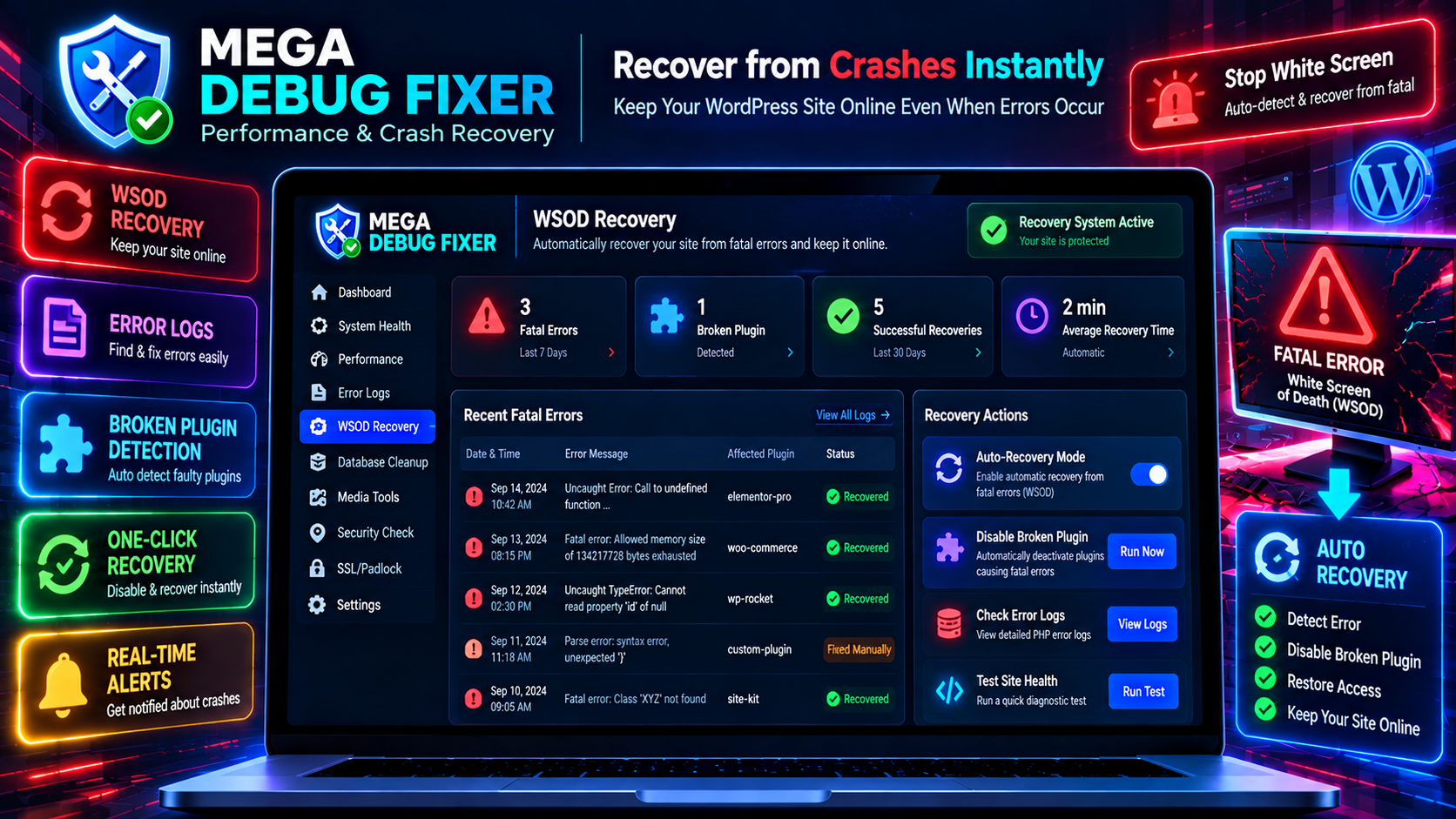
- WSOD Auto-Recovery: If a plugin update causes a Fatal Error, our emergency drop-in script catches it and isolates the broken plugin.
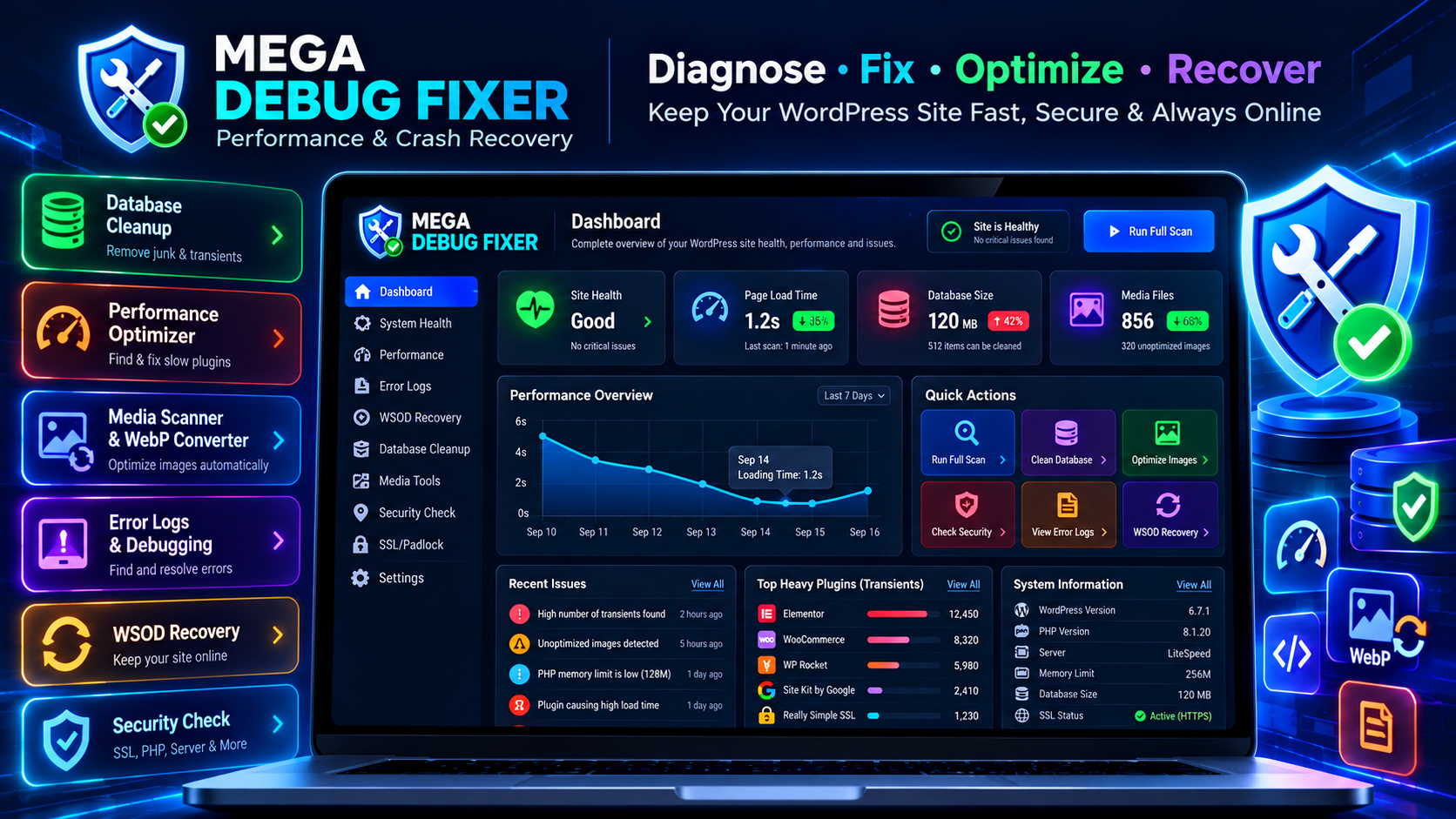
- Health Dashboard: Visually track your site’s performance, load times, and error alerts.
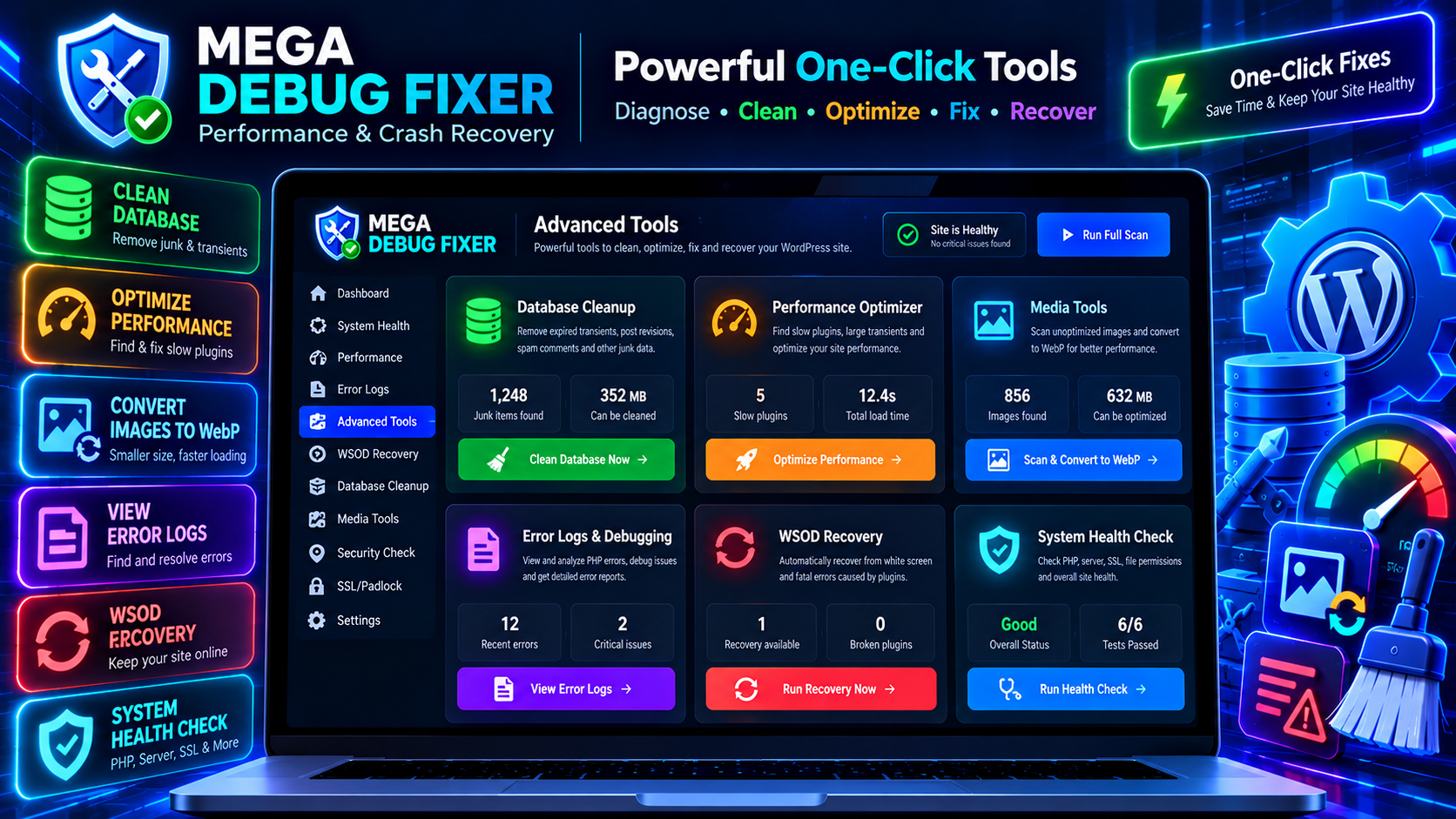
- Media Scanner & WebP Converter: Detects unoptimized images and converts them into next-gen WebP formats locally without external API costs.
- Plugin Performance Tracker: Automatically scans and lists plugins generating heavy transients.
- Database Junk Cleaner: Safely clears expired transients, post revisions, and spam comments.
Why You Need Mega Debug Fixer
- Find the Bottleneck: Instantly see which plugins are generating excessive transient junk in your database.
- Fix White Screens: Keep your WordPress admin accessible during fatal PHP errors.
- Keep Your Site Healthy: Automated checks for PHP memory limits, PHP version, and SSL configuration.
- Smart Recovery Mechanism: Built-in recovery drop-in prevents broken plugins from bringing down the entire website.
🚀 Everything You Get for Free
- Plugin Performance Tracker: Automatically scans and lists plugins generating heavy transients.
- Database Junk Scanner: Safely clears expired transients, revisions, and spam comments.
- System Health Diagnostics: Checks PHP memory limit, PHP version, and server environment.
- Admin Clutter Cleaner: Quick fix to dismiss unnecessary dashboard notices.
- SSL/Padlock Checker: Detects missing SSL configuration and helps ensure HTTPS.
- Local WebP Generation: Automatically generates WebP images on upload.
⚡ Cloud-Powered Advanced Features
For power users and agencies, our optional Hub connection provides:
- WSOD Auto-Recovery: An emergency drop-in script that automatically recovers your site from fatal crashes.
- Spam & Orders Cleaner: (WooCommerce) Cleans orphaned sessions and failed test orders.
- Remote Health Dashboard: Centrally view diagnostics and trigger maintenance actions remotely.
✨ Learn more about our advanced cloud features here.
🛡️ Safe, Secure, and Hub-Connected
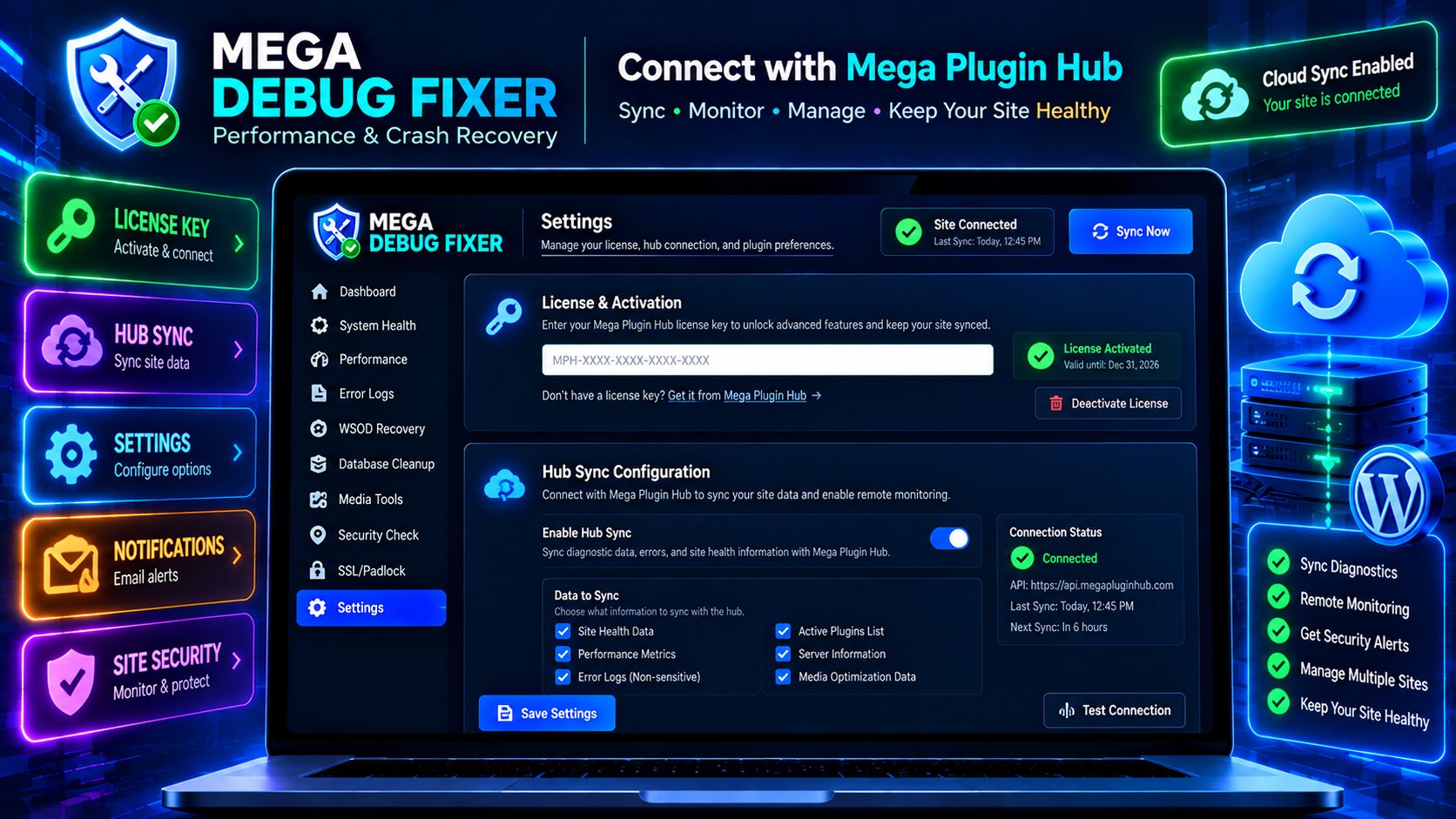
This plugin connects to the Mega Plugin Hub dashboard, allowing you to manage your site remotely. It is designed for developers and site owners managing multiple sites. All data sync happens securely via authenticated REST endpoints.
External services
This plugin relies on external third-party services and APIs to provide licensing and settings synchronization features. By using this plugin, you agree to their respective terms and privacy policies:
- Mega Plugin Hub (API: https://api.megapluginhub.com)
- Usage: Used to verify your license key, sync plugin diagnostic data, and trigger fixes remotely.
- Data Sent: Sends your site diagnostic data (active plugins, load times, error logs) during sync. No sensitive user data or private customer content is ever transmitted.
- Terms & Privacy: Terms & condition | Privacy Policy
Privacy Policy
Mega Debug Fixer is committed to transparency regarding user data:
- No sensitive data transmission – No user passwords, customer data, or private post content ever leaves your site.
- License & Diagnostic data sync only – Only your license key and non-sensitive diagnostic data (plugin list, error logs, memory limits) are sent to Mega Plugin Hub for remote monitoring.
- Crash logs – Crash logs are stored in your own database (
wp_options) and cleared upon acknowledgement. - Activation popup (optional) – If you enter your email in the welcome popup, it is saved to your site’s
wp_optionstable only. It is never sent to any third-party server.
Developer Hooks
Actions
mega_debug_daily_scan– Fires the daily diagnostic engine.
Credits
Developed with ❤️ by MegaWix Technologies
Mega Plugin Hub is a WordPress plugin brand powered by MegaWix Technologies
- Plugin Development: MegaWix Technologies
- Testing & QA: MegaWix Technologies
Support
Need help? Have a question or feature request?
- Plugins Website: Mega Plugin Hub
-
Plugin Support: support@megapluginhub.com
-
Company Website: MegaWix Technologies
- Company & Business Inquiries: info@megawix.com
We are committed to providing reliable support and regular updates to ensure this plugin remains compatible with the latest WordPress versions.
Screenshots
Installation
Automatic Installation
- Go to WordPress Admin Plugins Add New
- Search for Mega Debug Fixer
- Click Install Now Activate
- Look for Mega Debug Fixer in your admin menu!
Manual Installation
- Download the plugin ZIP file.
- Go to Plugins Add New Upload Plugin.
- Select the ZIP and install.
- Click Activate Plugin.
Initial Setup
- Open Mega Debug Fixer from your WordPress sidebar.
- Enter your Mega Plugin Hub License Key to connect.
- Your diagnostic data will automatically sync.
- Run your first health scan to analyze your site!
FAQ
-
Is this debug tool safe to use on a live site?
-
Yes! The diagnostic tools perform non-destructive read checks. Fixes target caches, transients, and junk data. We always recommend taking a full database backup before running major server maintenance.
-
Will it slow down my site?
-
No! Mega Debug Fixer is designed to be lightweight. The heavy lifting and diagnostic visualization is processed through the cloud portal, keeping local execution fast.
-
How does WSOD Auto-Recovery work?
-
When activated, it enables an emergency recovery mode that runs early during WordPress loading. If another plugin causes an unhandled PHP Fatal Error, the recovery system catches the error, isolates the broken plugin, and keeps your site online.
-
Does the Media Scanner require a 3rd party API?
-
No. The Media Scanner uses WordPress’s native image editing libraries to convert and compress images to WebP locally.
-
What database records does it clean?
-
It cleans post revisions, spam comments, and expired transients to reduce database bloat and speed up queries.
Reviews
There are no reviews for this plugin.
Contributors & Developers
“Mega Debug Fixer – Performance & Crash Recovery” is open source software. The following people have contributed to this plugin.
Contributors
Translate “Mega Debug Fixer – Performance & Crash Recovery” into your language.
Interested in development?
Browse the code, check out the SVN repository, or subscribe to the development log by RSS.
Changelog
1.0.0 – Initial Release
- Initial Release of Mega Debug Fixer.
- Added Core Diagnostics (Performance, Media, Database, System).
- Added Maintenance Features (Admin Clutter, SSL, WooCommerce cleaner).
- Added Cloud Hub Integration (WSOD Recovery, Remote telemetry sync).
- Fully optimized REST API endpoints.
- Admin UI with Mega Plugin Hub sync.