

Description
This plugin adds a “Reverse on Mobile” option to the Columns, Row, Stack and Media & Text blocks in the WordPress Gutenberg block editor.
A common layout challenge: you have two columns on desktop, image on the right, text on the left. On mobile, they stack vertically, but the image ends up below the text. With this plugin, you can reverse the stacking order so the image appears first, without touching your desktop layout.
Simply enable the “Reverse on Mobile” toggle in the block settings and the order is automatically adjusted on small screens.
If this plugin saves you time, buy me a coffee ☕ or leave a ★★★★★ review. It really helps!
Screenshots
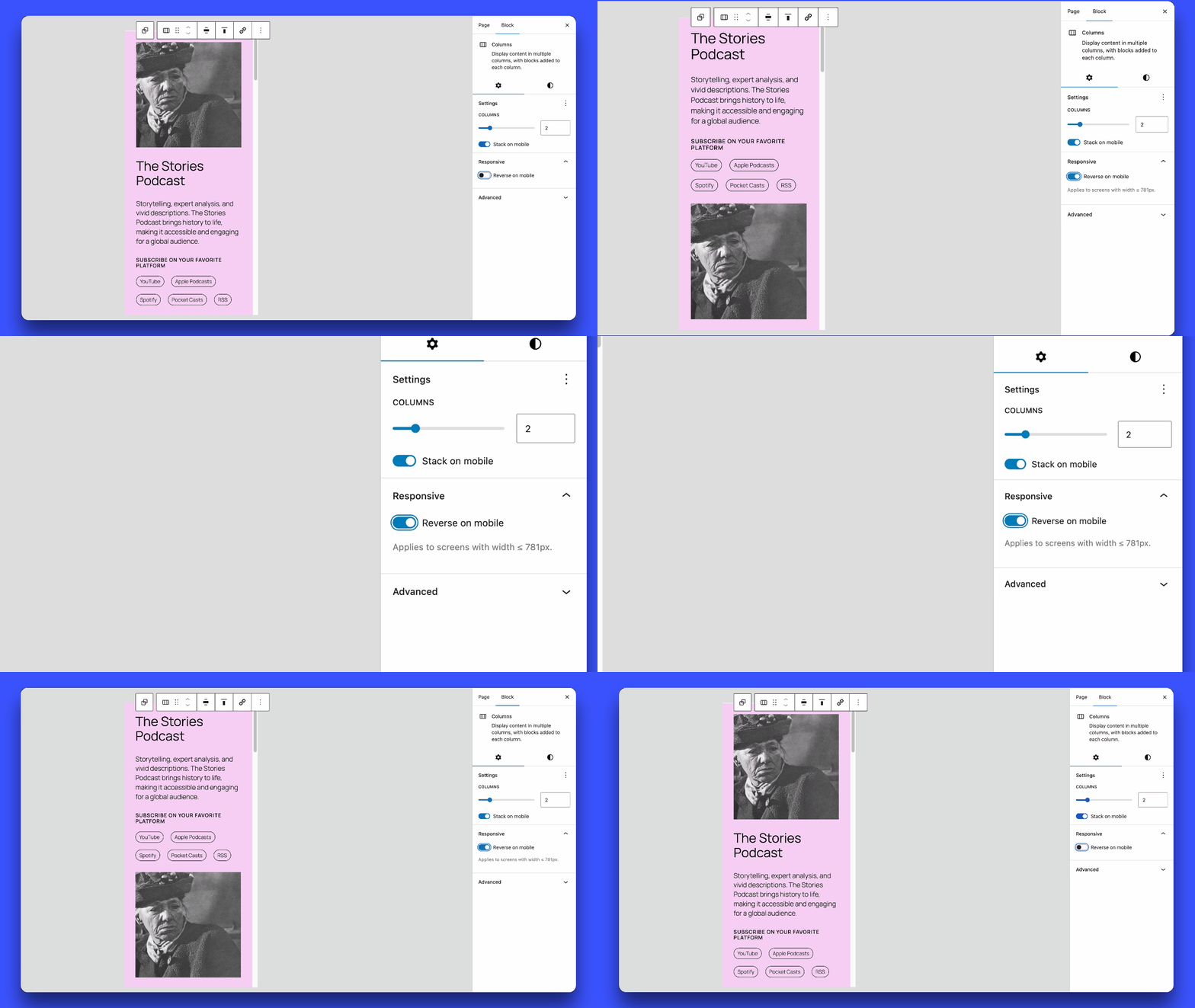
Enabling and disabling the “Reverse on Mobile” option in the block settings panel.
Installation
- Download the plugin.
- Unzip the downloaded file.
- Upload the
block-editor-columns-reversefolder to the/wp-content/plugins/directory. - Activate the plugin through the ‘Plugins’ menu in WordPress.
FAQ
-
Which blocks are supported?
-
The
core/columns,core/group(flex layouts), andcore/media-textblocks are supported. -
How do I enable the “Reverse on Mobile” option?
-
In the block editor, select a Columns, Row, Stack or Media & Text block, then go to the block settings in the sidebar. You will see an option to “Reverse on Mobile”.
Note: For Row blocks, you must enable “Allow to wrap to multiple lines” in the Layout settings for the reverse option to appear.
-
What is the breakpoint for the mobile view?
-
The mobile view breakpoint is set at less than 782px, matching the one used for the
core/columnsblock. When the screen width is 781px or smaller, columns will reverse their order if the “Reverse on Mobile” option is enabled.For the
core/media-textblock, the default breakpoint is 600px or below.
Reviews


Contributors & Developers
“Block Editor: Reverse Columns on Mobile” is open source software. The following people have contributed to this plugin.
Contributors
Translate “Block Editor: Reverse Columns on Mobile” into your language.
Interested in development?
Browse the code, check out the SVN repository, or subscribe to the development log by RSS.
Changelog
1.0.12
- Fixed: Columns block reverse effect was not visible in the editor due to Gutenberg adding
is-nowrapclass internally. - Support for 7.0.X.
1.0.11
- Fixed: Column content overflow when padding is set on columns.
1.0.10
- Fixed: Stack blocks now correctly reverse only on mobile, desktop layout remains unaffected.
1.0.9
- Improved performance: CSS is now loaded only on pages using the reverse feature.
- Support for 6.9.X.
1.0.8
- Fixed: Group Row blocks with wrap disabled (nowrap) no longer display the “Reverse on mobile” option in settings.
- Fixed: Group Row blocks with wrap enabled now use
wrap-reverseto correctly reverse elements when they wrap to multiple lines. - Fixed: Horizontal alignment (left/right/center/space-between) is now preserved when Row blocks wrap.
1.0.7
- Support for 6.8.X.
1.0.6
- Refactor responsive styles.
- Add support for
core/media-textbreakpoint (<= 600px).
1.0.5
- Removed the ‘Reverse on mobile’ option in
core/groupwhen the layout is undefined.
1.0.4
- Fix: Resolved the issue where ‘Reverse on mobile’ always stacked elements on mobile, even when ‘Stack on mobile’ was turned off.
- Separated CSS for front-end and editor.
1.0.3
- Added support for
core/media-textblock. - Removed the option when the group block is in the default constrained layout.
1.0.2
- Improvements to avoid potential conflicts with third-party code.
1.0.1
- Support for 6.7.X.
- Update text domain for i18n consistency.
1.0.0
- Initial release of the plugin.